Chapter 5: Model Define — Hardware
5.1 Hardware group layout
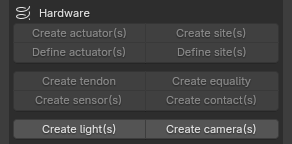
From top to bottom, Hardware contains Create Actuator/Site, Define Actuator/Site, Create Tendon/Equality, Create Sensor/Contact, and Create Light/Camera.
5.2 Actuator
Create actuator(s)
Operator ID: forge.create_actuator
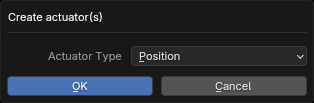
All selected objects must be Link, Joint, or Tendon. Forge creates one Actuator for each target. Types are General, Motor, Position, Velocity, and Adhesion; the default is Position.
Define actuator(s)
Operator ID: forge.define_actuator_type
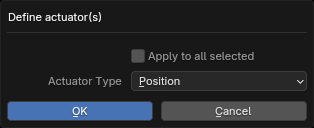
All selected objects must be Actuator. Only the active object changes by default; enable Apply to all selected to change the full selection.
5.3 Site
Create site(s)
Operator ID: forge.create_site
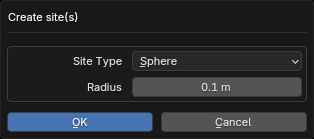
All selected objects must be Link. Forge creates one Site per Link. The type can be Box, Capsule, Cylinder, or Sphere, with Size, Radius, and Height as applicable.
Define site(s)
Operator ID: forge.define_site_type
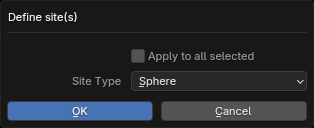
All selected objects must be Site. Change the type to Box, Capsule, Cylinder, or Sphere. Only the active Site changes by default; Apply to all selected enables batch editing.
5.4 Create Tendon
Operator ID: forge.create_tendon
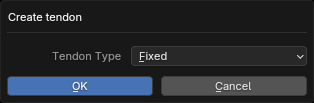
Select at least two Joint objects, all of which must be Slide or Hinge. Forge creates one Fixed Tendon from the Joints in selection order.
5.5 Create Equality
Operator ID: forge.create_equality
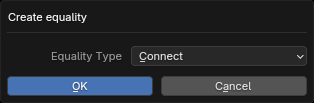
Select exactly two objects of the same category:
- two Link or two Site objects: choose Connect or Weld;
- two Joint objects: only Joint Equality is available.
The first selected object is Target 1 and is also the parent of the new Equality object. The second is Target 2.
5.6 Create Sensor(s)
Operator ID: forge.create_sensor
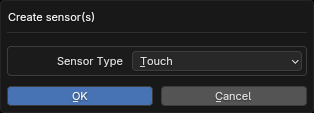
Sensor Type changes dynamically according to the selection:
- Link: Body Sensor (the Frame family, Contact, Subtreecom/Subtreelinvel/Subtreeangmom). Use Xbody restricts the choices to the Frame family; Use Subtree restricts them to Contact.
- Joint: only sensors supported by Joint. A Joint cannot be the Target/Reference of a Frame Sensor.
- Site, Visual/Collider, and Camera: sensors supported by the corresponding target type.
- With exactly two compatible objects, Use Reference can be enabled. The first is Target and the second is Reference.
Notes:
- Use Xbody and Use Subtree are mutually exclusive.
- Switching Reference/Xbody/Subtree resets Sensor Type.
- A
Noneentry in the dropdown means that the current combination has no valid Sensor.
5.7 Create Contact
Operator ID: forge.create_contact
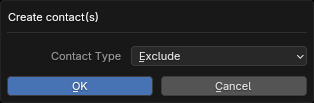
- Select at least two Link objects to create an Exclude.
- Select at least two Visual/Collider/Plane/Height Field objects to create a Pair.
- With more than two objects selected, create a Contact for every pairwise combination.
The first target of each Contact is also its parent.
5.8 Light
Operator ID: forge.create_light
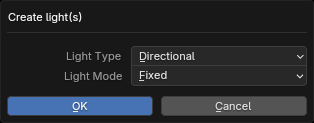
Available with no selection or when all selected objects are Link. With no selection, types are Directional, Spot, and Point (default: Directional). With selected Links, only Spot and Point are available (default: Spot). With one or two Links all five modes are available (default: Targetbody); with no selection or at least three Links, only Fixed, Track, and Trackcom are available (default: Fixed).
- With no selection, create a World Light at the 3D Cursor.
- In ordinary tracking modes, create a child Light for every selected Link.
- With one Link and Targetbody/Targetbodycom, create one World Light at the 3D Cursor targeting that Link.
- With two Links and Targetbody/Targetbodycom, the first is the Light's position/parent and the second is its target; create one Light.
5.9 Camera
Operator ID: forge.create_camera
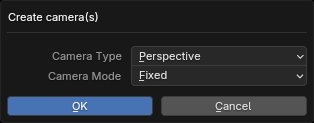
Available with no selection or when all selected objects are Link. Types are Perspective and Orthographic. With one or two Links all five modes are available (default: Targetbody); with no selection or at least three Links, only Fixed, Track, and Trackcom are available (default: Fixed).
- With no selection, create a World Camera at the 3D Cursor.
- In ordinary tracking modes, create a child Camera for every selected Link.
- With one Link and Targetbody/Targetbodycom, create a World Camera at the 3D Cursor targeting that Link; other modes create a child Camera for it.
- With two Links and Targetbody/Targetbodycom, the first is the Camera's position/parent and the second is its target; create one Camera.